The Process Property Editor
When you click on a free area in the Canvas Editor of the Workbench you can edit the main properties of the BPMN file. If you click on the title bar of a Pool you can edit the pool properties.
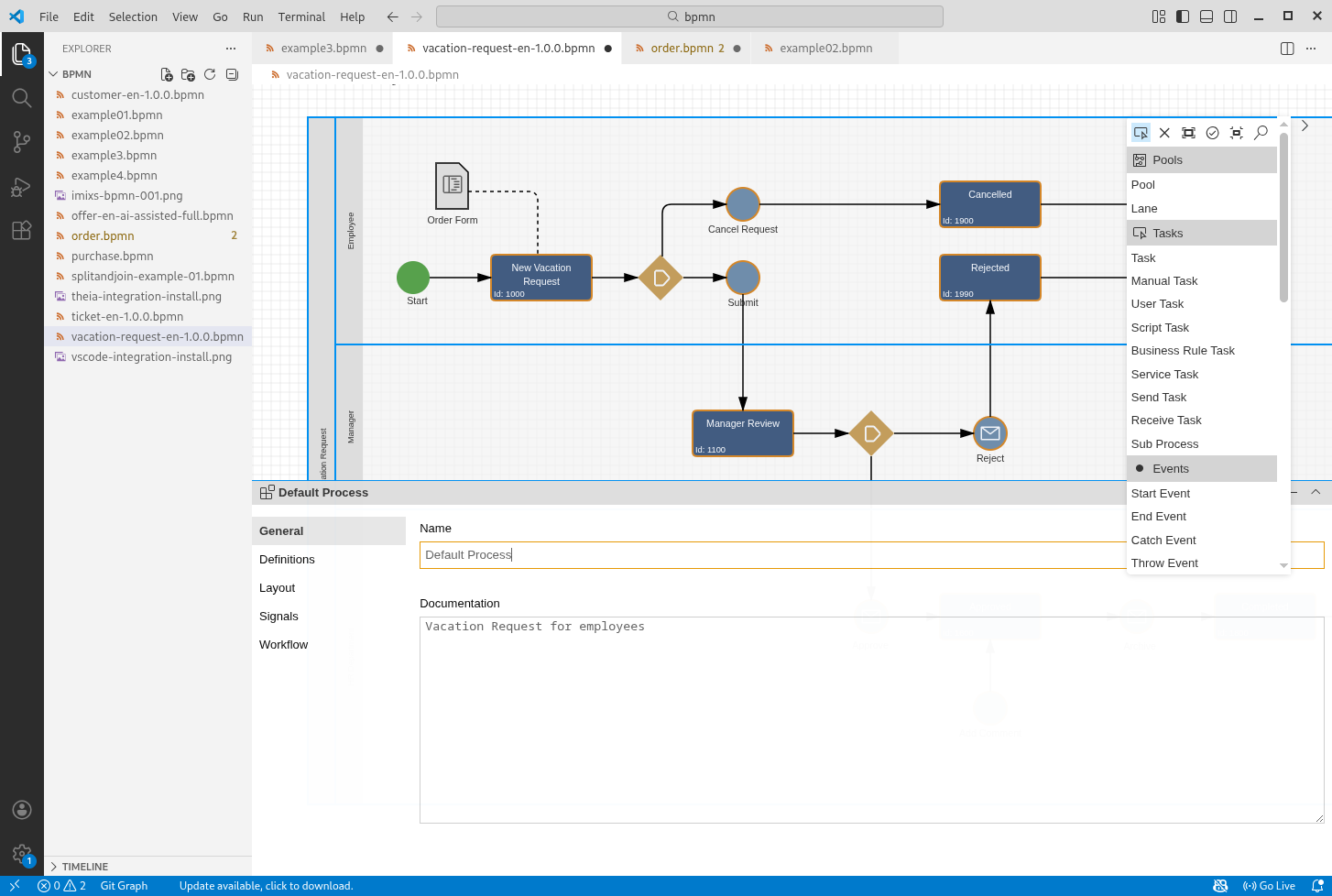
In the section General you can edit the name and description of the default process or the selected BPMN Pool.
The Imixs Workflow Properties
In the section Workflow can edit the model version which will be fetched by the workflow engine during the processing cycle as also workflow data elements.
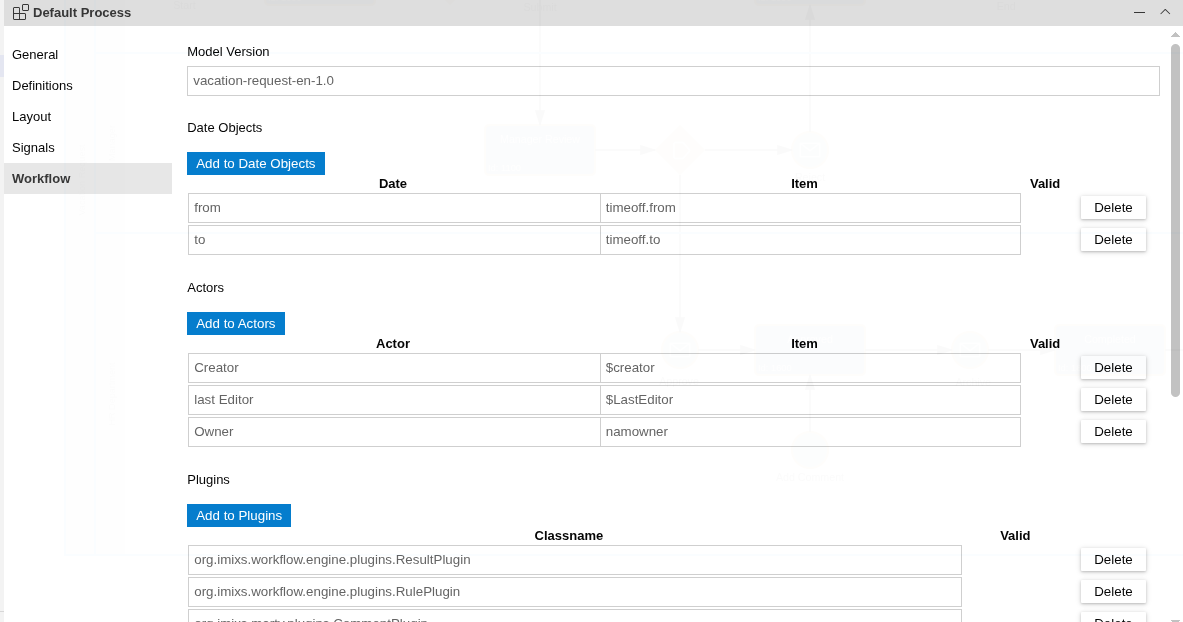
The Model Version
The Model Version is a unique identifier for the model. The model version will be assigned by the Imixs Workflow engine to a process instance during the processing cycle. A process instance started with a specific model version will be bound to the version during the complete process.
Date Objects
Date objects are used by the Imixs Workflow Engine to calculate the execution of a time-controlled event. For example, if your model for a vacation request has a field ‘timeoff.from’, you can specify this field here to use it as a reference date for a time-controlled event (see BPMN Event Elements)
Actors
Actors play an essential role in a user-centric workflow system. The actors are users who actively interact with a workflow application. For example, actors can start a new process instance to create a Workitem or trigger actions on an existing WorkItem. Actors can also be passively involved into a workflow, for instance, as recipients of an e-mail notification.
An actor is defined as an abstract role in a workflow model. The application specific user names (UserIDs) behind the actor are computed dynamically by the Imixs-Workflow engine. The Workflow engine maps the actor to the corresponding property of the WorkItem during runtime.
Team | process.team
The first part is the name of the actor displayed in the property sections of an Imixs BPMN Event element. The last part is the WorkItem property evaluated by the workflow engine.
As an alternative Actors can also be defined by a static list of userIds. In this case the last part of the definition has to be included into curled or squared rackets. The comma separated list of values will be evaluated by the workflow engine.
Delegate | {user1,user2}
Plugins
In this section, the plug-ins used by the workflow engine during a processing life cycle are defined. This runtime configuration is determined by the deployed workflow system. Only plug-ins can be configured that are part of the current runtime environment on the workflow instance.
Find details in the section Imixs-Workflow Plugin API
Signals
In the section Signals can define Imixs-Workflow Signal Adapters classes as BPMN Signals. A BPMN signals can be assigned to a BPMN Event definition.
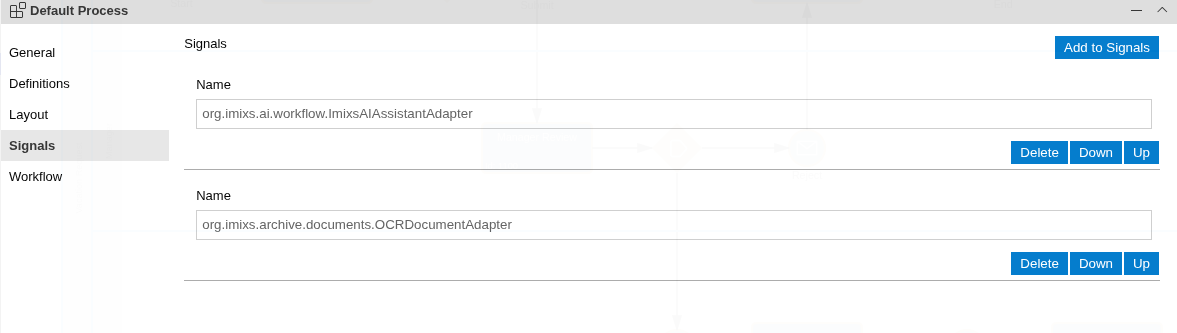
Signal Adaper classes are part of the microkernel architecture pattern providing an extension mechanism to adapt the processing life cycle of a BPMN Event. An Adapter class can execute business logic and adapt the data of a process instance. For example, an adapter can call an external Microservice to send or receive data.
Find details in the section Imixs-Workflow Adapter API
Documentation
Core Concepts
Building Applications
Operations
Project
Community
