Imixs-Faces Fileupload
Imixs-Faces Fileupload is a custom component to provide a fileUpload widget. The component consists of the following parts
- the FileUploadController - a front-end controller to push uploaded files into a workitem (based on JSF 4.0)
- the i:imixsFileUpload - a JSF component to be used in JSF pages
The <i:imixsFileUpload /> component can be included into any JSF form using the tag ‘imixsFileUpload’
<i:imixsFileUpload id="file_upload_id" />
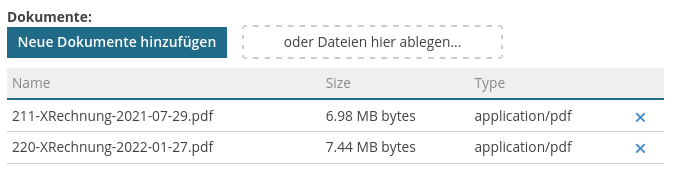
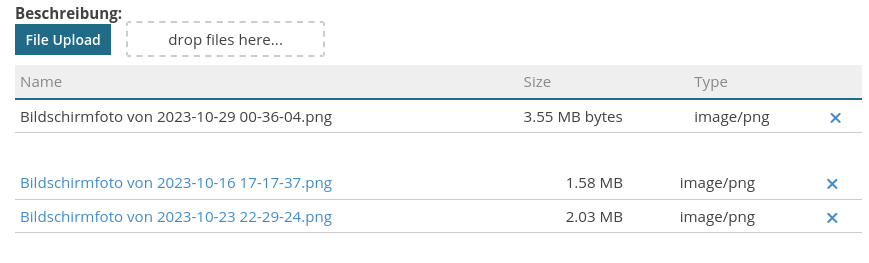
You can show the attachment list of a given ItemCollection. Using this feature you need to provide the contexturl and the workitem stored the FileData objects.
<i:imixsFileUpload showattachments="true"
	workitem="#{documentController.document}"
	context_url="#{facesContext.externalContext.requestContextPath}/api/" />
Style
The FileUpload component provides a set of style classes which can be used to customized the layout:
| CSS class | Description |
|---|---|
| .imixsfileupload | the main component |
| .imixsfileupload-table | table containing the new uploaded files |
| .imixsfileuploadinput | the file input element |
| .remove-link | link symbol to remove a file |
| .drop-area | area to drop files |
The FileUploadController
The FileUploadController provides methods to extract a file from a mulitpart http request. File will be automatically attached to the current workflow or document context by observing the CDI event DocumentEvent and WorkflowEvent.
Optional a CDI Bean can use the controller method attacheFiles to manually attache files.
...
protected ItemCollection modelUploads = null;
@Inject
FileUploadController fileUploadController;
...

public void doUploadModel(ActionEvent event)
		throws ModelException {

	try {
		fileUploadController.attacheFiles(modelUploads);
	} catch (PluginException e) {
		e.printStackTrace();
	}
	List<FileData> fileList = modelUploads.getFileData();
	....
}
Ajax Support
Optional you can also use a fileUpload widget with Ajax support. This allows the user to upload several files in multiple requests:
<i:imixsFileUploadAjax showattachments="true"
	workitem="#{documentController.document}"
	context_url="#{facesContext.externalContext.requestContextPath}/api/" />
File Size Configuration
The Ajax file upload widget uses the AjaxFileUploadServlet to handle file uploads.
By default, the maximum file size is limited to 10 MB per file and 50 MB per request.
A developer can override these defaults by adding the following configuration to the web.xml:
<!-- Override the default file size limits for the AjaxFileUploadServlet -->
<servlet>
    <servlet-name>AjaxFileUploadServlet</servlet-name>
    <servlet-class>org.imixs.workflow.faces.fileupload.AjaxFileUploadServlet</servlet-class>
    <multipart-config>
        <max-file-size>20971520</max-file-size>        <!-- 20 MB -->
        <max-request-size>52428800</max-request-size>  <!-- 50 MB -->
        <file-size-threshold>1048576</file-size-threshold>
    </multipart-config>
</servlet>
<servlet-mapping>
    <servlet-name>AjaxFileUploadServlet</servlet-name>
    <url-pattern>/fileupload/*</url-pattern>
</servlet-mapping>

<!-- Provide the max file size for user-friendly error messages -->
<context-param>
    <param-name>imixs.fileupload.maxFileSize</param-name>
    <param-value>20971520</param-value>
</context-param>
Note: The context-param imixs.fileupload.maxFileSize must match the max-file-size
value in the multipart-config. It is used to display a meaningful error message to the
user when an upload exceeds the allowed file size.
The two size parameters have different meanings:
max-file-size- defines the maximum size of a single file within one upload requestmax-request-size- defines the maximum size of the entire HTTP request, i.e. the sum of all files uploaded at once plus form fields
Example: With a max-file-size of 20 MB and a max-request-size of 50 MB, a user could
upload two files of 20 MB each simultaneously, but not three files of 20 MB each.
Documentation
Core Concepts
Building Applications
Operations
Project
Community
